Ransomware Protection for NZ Small Businesses: Prevention, Response and Recovery
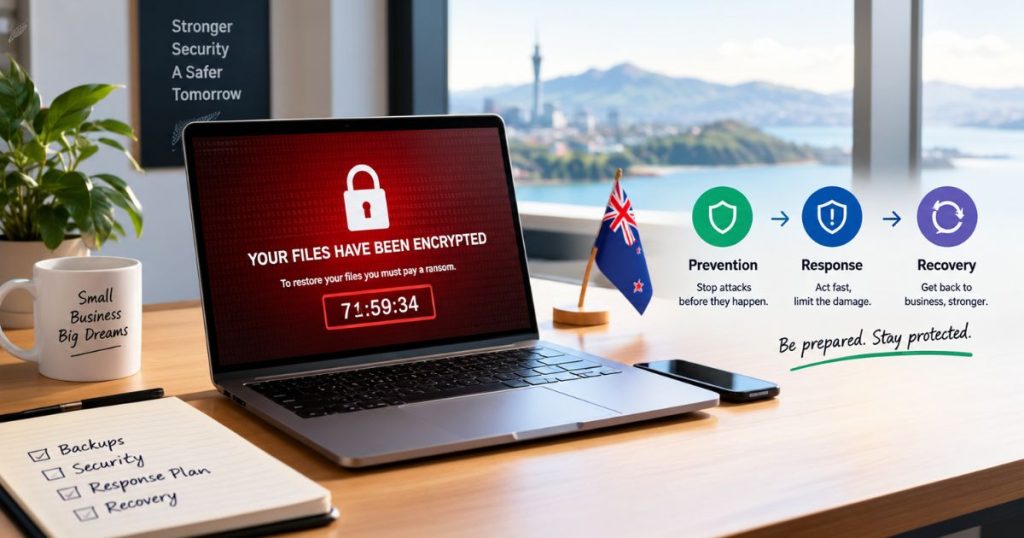
Ransomware protection for NZ small businesses combines prevention that blocks the most common entry points, a clear response sequence for the first hours of an attack, and recovery from clean backups so the business can keep trading without paying.
Most small businesses still picture ransomware as a single file that locks a laptop. Real attacks are slower and more deliberate. Criminals get in quietly, spread through the network, steal data, and only then trigger encryption, which means you can stop them well before anything looks wrong. The sections below cover how attacks unfold, the controls that matter most, how to recover without paying, and what to do in the first hours.
How Ransomware Attacks Reach Small NZ Businesses
The latest NCSC Cyber Threat Report 2026 shows 4,673 incident reports in 2025/26 and direct financial losses of $23.8 million, down from $26.9 million the year before. The headline numbers eased, but the serious end did not. Incidents of potential national significance linked to criminal or financially motivated actors rose from 137 to 162. Across the Tasman, the ASD Annual Cyber Threat Report 2024-25 found ransomware in 11 percent of the incidents the ACSC responded to, and small businesses reported an average cybercrime cost of A$56,600, with medium businesses at A$97,200.
The NCSC’s ransomware guidance splits an attack into three phases. First, attackers gain a foothold, most often through phishing, guessed or stolen passwords, a vulnerable internet-facing service, or email-delivered malware. Next, they work towards administrator access and target backup servers and security consoles. Finally, they steal data, destroy backups, and encrypt systems, often overnight when nobody is watching. ASD’s data points to the same pattern, with compromised credentials and exposed remote access services as the most common route to data encryption.
What Is Double Extortion Ransomware?
Double extortion means attackers both encrypt your files and steal a copy of your data, then demand payment twice, once for the decryption key and once for a promise not to publish what they took. The NCSC notes that ransom notes often carry that second demand.
It changes the old advice that good backups mean you never need to worry. Backups get you running again, but they do nothing about data already in the attacker’s hands. That is why detection and fast containment matter as much as recovery.
The NCSC says attackers usually take data slowly to avoid triggering alerts, often overnight. Signs it lists include repeated uploads to unknown web services or file-sharing sites, and accounts suddenly opening large volumes of files outside their normal role. A small business with nobody watching those signals will usually only find out when the ransom note appears.
Prevention Controls That Stop Most Ransomware

No single control stops every attack, but these five close the entry points the NCSC and ASD see attackers use most.
Lock Down Logins and Remote Access
Start with multi-factor authentication on every internet-facing service, including VPN, remote desktop, email, and all administrator accounts. The NCSC calls it one of the easiest and most effective controls, and it blunts the stolen-password route that ASD found behind most encryption incidents. Also list every service reachable from the internet. Businesses regularly find forgotten ones during that exercise.
Patch Internet-Facing Systems Within 48 Hours
Attackers exploit published vulnerabilities in VPNs, firewalls, and mail servers quickly after disclosure, and sometimes before. The NCSC treats patching internet-exposed systems as the top priority and suggests applying security updates within 48 hours as a baseline, with a way to patch immediately when active exploitation is reported. Our small business cyber security checklist covers the wider patching routine.
Stop Encryption at the Endpoint
Basic antivirus matches known threats. Behavioral endpoint detection and response watches what software does, so it can flag mass file changes or a security tool being switched off and isolate the device. The NCSC is clear that endpoint tools do not catch every encryption attempt, so treat EDR as one layer backed by the controls around it.
Limit Administrator Access
Most ransomware needs elevated rights to reach shared drives, backups, and security consoles. Give administrators separate accounts for admin work, remove shared and overbroad accounts, and ensure nobody can switch off protection tools or backups without extra approval. The NCSC pairs this with network segmentation so one compromised account cannot reach everything.
Train Staff to Report Early
Phishing remains a leading way in, so regular security awareness training with simulated phishing is worth the effort. Short, frequent exercises with immediate feedback work better than an annual session, and a no-blame culture means people report a mistaken click in minutes rather than hiding it. CyberMark offers a free baseline phishing test for up to 100 users, which shows your starting click rate before any training begins.
Immutable Backups and Ransomware Recovery
Attackers know backups are the safety net, so they go after them. The NCSC warns that offline or disconnected backups are critical because attackers often destroy backups before encrypting. Immutable backups, where stored versions cannot be altered or deleted during the retention period, protect against that.
Recovery also depends on speed. Set a recovery time objective (how long you can be without a system) and a recovery point objective (how much data you can afford to lose) before an incident, then test restores on a schedule. Microsoft 365 data needs the same treatment, because built-in retention is not a substitute for an independent backup.
CyberMark provides backup and disaster recovery on Backblaze B2 with AES-256 encryption, immutable versions, Microsoft 365 backup and scheduled restore testing, from $17.32 NZD per month. Test restores at least quarterly.
Should a Small Business Pay the Ransom?
No. The NCSC recommends never paying, because payment does not guarantee you will get your data back and it helps fund the criminal ecosystem behind these attacks. Decide your position before an incident, since the pressure to pay is strongest when recovery looks slow. Tested immutable backups are what take that decision off the table.
The Seven-Step Ransomware Response Framework
When prevention fails, a pre-agreed sequence saves hours. The same seven steps CyberMark uses for any incident apply to ransomware.
Preparation
Write down who makes decisions, who to call, and how the team will communicate if email and file servers are down. The NCSC suggests keeping hard copies of the plan and key contacts, because the plan itself can be encrypted.
Identification
Confirm the alert or lock screen is really ransomware and identify which devices and accounts are involved.
Containment
Disconnect affected devices and disable compromised accounts so encryption cannot spread, and follow your response provider’s instructions before powering anything off.
Eradication
Remove the attacker’s access and persistence. The NCSC advises working out the full extent of the intrusion before evicting the attacker, because one who realises they are about to lose access may cause as much damage as possible first.
Recovery
Restore from verified clean backups in priority order, starting with the systems the business cannot trade without, and confirm each one is safe before returning it to production.
Communication and Reporting
Tell staff, clients and your insurer as your policy requires, and report the incident to the NCSC. Under the Privacy Act 2020, a notifiable privacy breach involves unauthorised access, disclosure, loss or destruction of personal information where serious harm is likely, and loss includes temporary loss of access, which encryption can cause. The Office of the Privacy Commissioner expects notification within 72 hours of becoming aware that a breach is notifiable, and its NotifyUs tool helps you assess and report.
Lessons Learned
Record the entry point, timeline and control gaps, then close them so the same route cannot be used twice.
Writing a cybersecurity incident response plan before anything happens is what makes these steps usable under pressure.
Managed Detection and Response for Ransomware
Prevention and backups cover most of the risk. What many small businesses lack is someone watching the endpoints and ready to act when something looks wrong. CyberMark provides managed detection and response on Bitdefender EDR with a New Zealand-based team.
The Starter plan is $25 NZD per endpoint per month and includes threat hunting, security health checks, monthly reporting and business-hours response. Response outside business hours comes with the 24/7 add-on at $35 NZD per endpoint per month. Incident response is included as standard, and an incident response retainer at $500 NZD per month adds pre-agreed response times and a customised plan. Baseline protection is live within 48 hours of onboarding, and every plan is month-to-month with 30 days’ notice.
Which Ransomware Controls Should You Prioritise First?
Start with the controls that close the most common routes in for the least effort. Put multi-factor authentication on every remote and administrator account, patch internet-facing systems within days, and make sure immutable backups exist and have been restored at least once. Add behavioural endpoint protection next, then regular phishing simulations. Once those are in place, decide whether continuous monitoring and a pre-agreed response arrangement would reduce the remaining risk.
A free security assessment reviews your endpoints, backups, and access paths and shows which gaps to close first. It takes 15 to 30 minutes.
Frequently Asked Questions
Should I turn off computers infected with ransomware?
Not as a first step. Disconnect them from the network, then follow your response provider’s instructions, because switching devices off can destroy evidence held in memory that investigators need.
Do I have to report ransomware to the NCSC and the Privacy Commissioner?
Reporting to the NCSC is open to any organisation and encouraged. Notifying the Privacy Commissioner is a legal duty when personal information is affected, and serious harm is likely.
Does cyber insurance cover ransomware?
It depends on the policy. Check whether it covers data restoration, business interruption and ransom-related costs, and what notification steps it requires after an incident.
Can ransomware encrypt cloud and Microsoft 365 files?
Yes. If a compromised account can reach synced files, ransomware can change them in the cloud too. An independent backup, MFA, and version history limit the damage.
Is EDR the same as antivirus for stopping ransomware?
No. Antivirus mainly recognises known threats, while EDR monitors behaviour and can flag or isolate a device showing encryption activity. No endpoint tool stops everything, so pair it with backups and MFA.
Need help reducing your business security risk?
Contact us

