Endpoint Security Checklist for NZ Businesses: 25 Essential Steps to Protect Devices
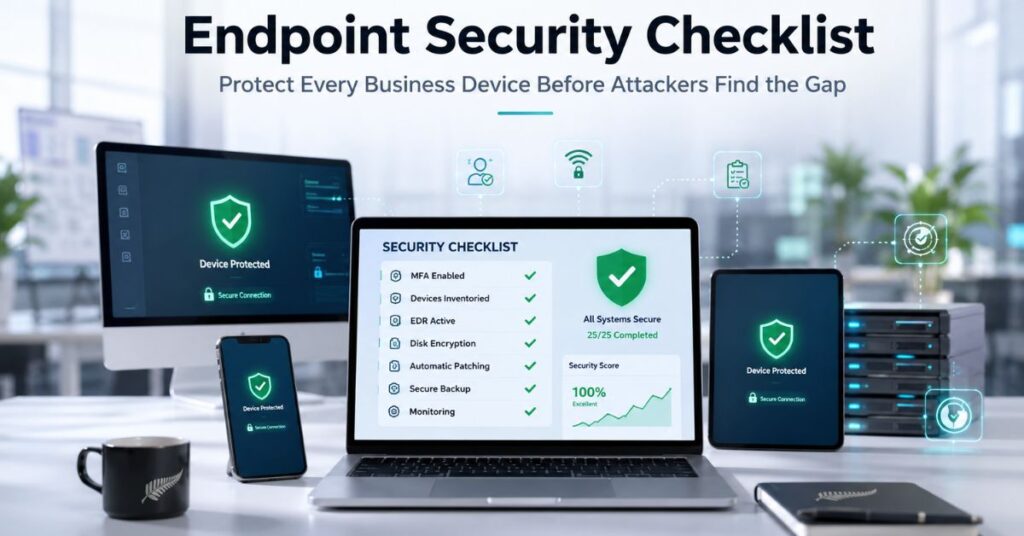
An endpoint security checklist is a structured, self-assessable list of controls that verifies whether every device connecting to your business, laptops, phones, servers, and BYOD kit, is actually protected, not just assumed to be. This 25-step checklist covers identity, devices, patching, backups, monitoring, and compliance, the areas cyber insurers and regulators now expect businesses to have covered before they’ll call your security posture “reasonable.” Use it whether you’re setting up endpoint security for the first time or checking what you already have in place.
What Is an Endpoint Security Checklist?
An endpoint security checklist is a practical audit tool that helps a business confirm whether its devices are protected, updated, monitored, and recoverable, rather than simply assumed to be secure. An “endpoint” is any device that connects to your network or business systems: laptops, desktops, mobile phones, tablets, servers, and increasingly, personal devices used for work. The goal isn’t to tick boxes for the sake of it. It’s to surface the gaps before an attacker does. Getting familiar with the fundamentals of endpoint protection is a useful starting point before working through the list below.
Why Endpoint Security Can’t Wait for NZ Small Businesses
Endpoint security risks don’t usually start as big, obvious problems. They start small: an unpatched laptop, a former employee’s login that was never switched off, a phone with no screen lock. On their own, none of these look urgent. Left alone, any one of them is enough to become the entry point for a breach. That’s the real cost of waiting.
Modern endpoint security threats make this worse because they rarely look like the malware people picture. Most attacks today start with stolen credentials, a convincing phishing link, or a legitimate-looking process quietly doing something it shouldn’t. Basic antivirus doesn’t catch these. A proper endpoint security setup does, by watching for the behaviour, not just known malicious files.
The benefits of getting this right are just as concrete: fewer successful intrusions, faster detection when something does go wrong, and documentation that satisfies both the Privacy Act 2020 and the cyber insurer underwriting your policy. For a closer look at how these risks show up in practice, see cyber security risks facing NZ Businesses.
How to Use This Cyber Security Assessment Checklist?
Treat this as a cyber security audit checklist, not a wish list. For each of the 25 items below, answer Yes only if it’s true across your whole business, every device, every user, not just the ones IT remembers to check. This mirrors the structure of a proper cyber security assessment checklist: identify the gap, prioritise it, fix it. Your score at the end will tell you where to start.
The 25-Step Endpoint Security Checklist
Work through each section in order, from device inventory through to governance, and mark yourself Yes only where a control is genuinely in place across the whole business.
1-3. Device Visibility & Inventory
- You maintain a full inventory of every laptop, desktop, phone, tablet, and server connecting to company systems.
- Each device has a named, assigned owner.
- Access for former employees and unused or retired devices is revoked immediately, not “when someone notices.”
4-8. Identity & Access Control
This is where most endpoint security best practices start, because a compromised login defeats good hardware every time.
- Multi-factor authentication (MFA) is enforced on every account, with an app or hardware key (not SMS) for admin and finance staff.
- Local admin rights are removed from standard user accounts.
- The principle of least privilege is applied: staff only get the access their role requires.
- A password manager is in use, so credentials aren’t reused across sites.
- Admin accounts are kept separate from everyday email and browsing accounts.
9-13. Endpoint Detection & Protection
This is the technology core of the checklist, and the area where the gap between best endpoint security software and basic antivirus matters most.
- Modern endpoint detection and response (EDR) runs on 100% of devices, not a standalone free antivirus.
- Protection is centrally managed, not left to each device or user.
- Disk encryption (BitLocker for Windows, FileVault for macOS) is enabled on every device that leaves the office.
- Devices auto-lock after a short idle period and require a PIN, password, or biometric.
- No device is still running an unsupported operating system.
Advanced and next-generation endpoint security platforms detect behavioural anomalies, not just known malware signatures, which matters because most serious intrusions today don’t look like traditional viruses. Choosing the right level of endpoint protection for NZ small businesses usually comes down to team size and risk exposure rather than budget alone. If you’re deciding between in-house tools and a managed EDR service, that decision usually comes down to whether anyone on your team has time to review alerts daily.
14-16. Patch & Software Management
- Operating system, browser, and application updates are centrally managed, not left to individual users to click “later.”
- Critical security patches are applied within 30 days of release, faster for actively exploited vulnerabilities.
- An asset inventory exists so you actually know what needs patching.
17-20. Data Protection, Backup & Remote Work
Network endpoint security extends beyond the device itself to how it connects and what it can reach.
- Microsoft 365 or Google Workspace is backed up independently by a third party, not relying on native retention settings.
- A test restore has been completed successfully in the last 12 months.
- Remote access uses MFA-protected VPN or zero-trust tools, never RDP exposed directly to the internet.
- Guest Wi-Fi is fully segmented from the business network.
21-23. Monitoring & Managed Endpoint Security
Endpoint security management is the step most small businesses underestimate. A tool that generates alerts nobody reviews provides close to zero real protection.
- Security alerts are routed to a person or provider, who actually responds to them.
- Audit logging is switched on so incidents can be investigated after the fact.
- You have 24/7 monitoring in place, either through an internal endpoint security manager or a managed endpoint security service.
For most NZ businesses with under 50 staff, running this in-house isn’t realistic around the clock. That’s the gap a managed endpoint security service is built to close, and it’s worth comparing the best MDR providers in NZ on technology stack, response SLAs, and pricing transparency before choosing one.
24-25. Governance, Compliance & Incident Response
- A written incident response plan exists, with named roles, contacts, and first steps, and has been walked through at least once in the last year.
- Your controls are mapped against the frameworks relevant to your business: the NZ Privacy Act 2020, AU Privacy Act 1988, ISO 27001, SOC 2, or PCI DSS, forming your own cyber security controls checklist and cyber security compliance checklist, ideally supported by structured security compliance processes rather than an annual scramble.
Endpoint Security vs Antivirus: Why This Checklist Goes Further

Endpoint security vs antivirus is a genuinely important distinction, not just a marketing angle. Traditional antivirus matches known malware signatures; it works well against threats it’s already seen. It’s largely blind to stolen credentials, fileless attacks, and living-off-the-land techniques where an attacker uses legitimate system tools to move around undetected. That’s the gap EDR and this checklist are built to cover. If budget is the barrier rather than intent, several credible open source endpoint security tools exist for NZ businesses that need a stronger baseline without a licensing bill.
Score Yourself: Small Business Cyber Security Checklist Results
Count your Yes answers out of 25 to see where your business stands on this small business cyber security checklist:
- 20-25: Strong. You’re ahead of most NZ SMEs and in solid shape for cyber insurance renewal.
- 12-19: Reasonable, with real gaps, likely in monitoring, backups, or governance. Run this as a cyber security risk assessment checklist and prioritise those sections first.
- Under 12: Exposed. Start with identity and access control, then move to detection and monitoring this month.
Frequently Asked Questions
What is the basic security checklist for endpoints?
The basic security checklist covers five non-negotiables: MFA on every account, modern EDR (not just antivirus) on every device, encrypted and tested backups, timely patching, and a written incident response plan. Everything else in a full checklist builds on these five.
What are the top EDR tools for small businesses?
Widely used EDR platforms include Bitdefender, CrowdStrike, SentinelOne, Microsoft Defender for Endpoint, and Cisco Secure Endpoint. The right choice depends on your existing tech stack, budget, and whether you need the tool managed for you or plan to monitor it in-house.
What are the 5 C’s of cyber security?
The 5 C’s of cyber security are Change, Compliance, Cost, Continuity, and Coverage. Together, they describe a business’s ability to adapt to evolving threats, meet regulatory obligations, manage security spend sensibly, keep operating through an incident, and protect every device and system rather than leaving gaps.
Do I need EDR if I already have antivirus software?
Yes. Antivirus alone only catches known malware signatures and misses stolen-credential attacks, fileless techniques, and unusual behaviour on a device. EDR adds continuous monitoring and the ability to investigate and isolate a compromised endpoint, which antivirus software cannot do on its own.
How much does managed endpoint security cost for NZ small businesses?
Pricing varies by protection tier and whether monitoring is included, so it’s worth understanding what endpoint security costs and managed detection and response pricing are before comparing vendor quotes.
Turning This Checklist Into Action
A checklist only helps once the No’s become Yes’s. If you’ve worked through this list and found more gaps than you expected, that’s normal; most NZ SMEs do. Start with identity and access control, then detection and monitoring, since those two areas stop the largest share of real-world breaches.
From there, the right protection tier depends on your team size, budget, and risk profile, and getting that match wrong is where most businesses either overpay or stay exposed. CyberMark Agency helps NZ small businesses close these exact gaps with managed endpoint protection built for teams of 1–50, no enterprise pricing, no lock-in contracts. Book a free, no-obligation security review and get a clear, prioritised action plan for your business in 15–30 minutes.
Need help reducing your business security risk?
Contact us

