How to Protect Your Business From Cyber Attacks in 2026: A Practical Guide for Every Size of Organization
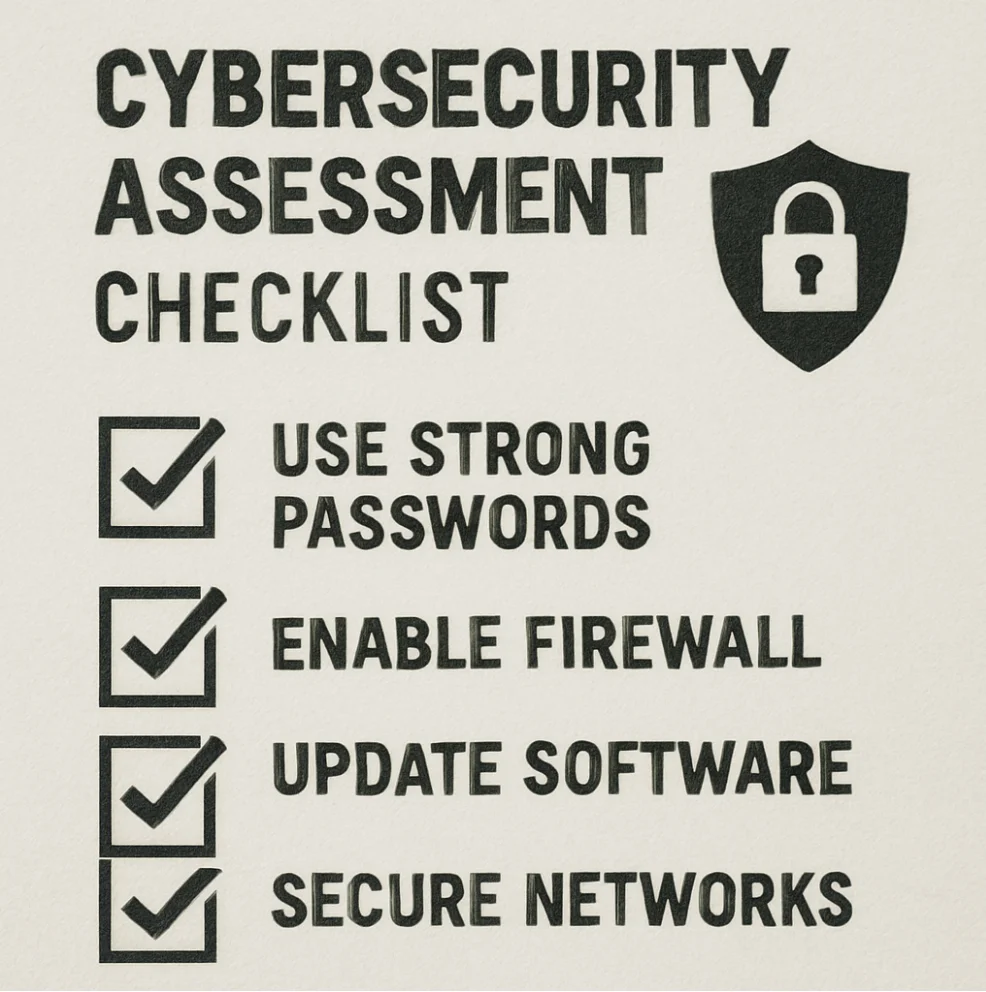
Most business owners already know cybersecurity is important. The problem is that almost everything written about it falls into one of two camps: it’s either so vague it tells you nothing useful, or it’s written for enterprises with dedicated security teams, six-figure software budgets, and a CISO on speed dial.
This guide is for businessowners how want to protect their business from cyber attacks. The business owner who’s also the de facto IT department. The operations manager who just wants to know what to prioritize. The team that’s doing their best with limited time and money.
What you’ll find here is a clear-eyed picture of the current threat environment, updated with 2025 and 2026 data, along with specific, actionable steps that deliver the most protection per dollar and per hour you invest in them. The goal isn’t to overwhelm you. It’s to help you make smarter decisions than most of your competitors are making right now.
What Cybersecurity Actually Means for Your Business
Strip away the technical terminology, and cybersecurity comes down to protecting a few things that matter:
- Your customers’ data, so it can’t be stolen, sold, or used against them
- Your financial systems, so criminals can’t redirect payments or drain accounts
- Your operations, so an attacker can’t lock you out of your own systems and hold them hostage
- Your email, so your employees and your name can’t be used to trick others into sending money
When any of those fail, the consequences extend well beyond the technical. According to IBM’s 2025 Cost of a Data Breach Report, the global average cost of a breach dropped to $4.44 million, a slight improvement from the year before, driven by faster detection powered by AI tools. But that number is misleading for most business owners, because in the United States, the average cost actually increased to a record $10.22 million, driven by regulatory penalties and slower detection.
For smaller businesses, the financial impact is often proportionally worse. Average losses for small businesses hit approximately $120,000 per breach in 2025. And roughly 60 percent of small businesses that suffer a significant cyberattack close within six months. This isn’t necessarily because of the direct costs alone, but because of the compounding effect: lost customers, reputation damage, legal fees, regulatory fines, and months of recovery that pull leadership away from running the business.
Beyond the financial hit, there are legal consequences to consider. GDPR, CCPA, HIPAA, PCI DSS, and a growing patchwork of state-level privacy laws impose real obligations on how you collect, store, and protect personal data, as well as how quickly you must notify people when something goes wrong. Understanding those obligations before an incident is much more useful than learning about them during one.
In Short: cybersecurity isn’t an IT problem that lives in someone else’s department. It’s a business risk that needs business-level ownership.
Why Smaller Businesses Are Actually the Preferred Target
One of the most persistent and dangerous myths in business is the idea that small companies are too small to bother hacking. Attackers are assumed to be focused on banks and multinationals, ignoring the small accounting firm or regional manufacturer.
The data tells a different story. According to recent research, 43 percent of all cyberattacks in 2025 targeted small businesses. The 2025 Verizon Data Breach Investigations Report found that small businesses accounted for 46 percent of all cyber breaches globally, and that 88 percent of SMB breaches involved a ransomware component, compared to just 39 percent at larger organizations. Smaller businesses receive targeted malicious emails at a rate of 1 in every 323 emails, the highest rate of any business category.
Why? Three reasons.
1. Automation makes size irrelevant:
Modern cyberattacks are largely automated. Attackers run scanning tools that probe millions of IP addresses simultaneously, looking for unpatched software, weak authentication configurations, and exposed remote access services. If your system has a known vulnerability, a bot will find it. It doesn’t care how many employees you have.
2. Small businesses hold the same data that makes large businesses valuable:
Customer payment information. Personal records. Employee data. Access to financial accounts. Attackers aren’t chasing company size. They’re chasing the data and access that translate into money.
3. You are often the back door into a bigger target:
If your firm has a relationship with a larger client, including access to their systems, contracts, or data, compromising you can give attackers what they couldn’t get by attacking that client directly. Third-party breaches doubled year-over-year in the 2025 Verizon DBIR, now accounting for 30 percent of all breaches. Supply chain attacks remain one of the fastest-growing threat categories.
The right question isn’t whether your business is large enough to be a target. It’s whether the credentials, data, and system access you hold make you worth the minimal effort required to exploit a gap in your defenses. For most businesses, the honest answer is yes.
Start Here: Know What You’re Actually Protecting
You can’t protect what you haven’t mapped. Before spending a dollar on any security tool, take stock of what you actually have.
Build an Asset Inventory
List every device, system, cloud application, and service involved in running your business. This includes the obvious things like computers, servers, and phone systems, and the less obvious ones: the cloud storage a department signed up for independently, the project management app employees use on personal phones, the third-party bookkeeper who has access to your accounting system.
Businesses that do this exercise for the first time are frequently surprised by how many systems and data flows exist that no one had formally tracked. You cannot make good security decisions about something you didn’t know was there.
Identify What Matters Most and What’s Most at Risk
Not everything carries the same risk. Customer payment data is more sensitive than your marketing calendar. Your remote access infrastructure is a more attractive target than your internal document archive.
A simple risk framework asks two questions about each asset: How bad would it be if this were compromised or unavailable? And how likely is this to be targeted, given how it’s configured and exposed? High-impact, high-likelihood combinations are where your attention should go first.
Understand Your Legal Obligations
Part of your security baseline is knowing what regulations apply to your business before an incident, not during one. Depending on your industry and customer base, you may be subject to:
- PCI DSS if you process credit or debit card payments (updated requirements under PCI DSS v4.0.1 are now mandatory)
- HIPAA if you handle health information
- GDPR if you serve customers in the European Union
- CCPA if you have California customers
- NIS2 requirements if you have EU operations in critical sectors
Each framework has specific requirements and breach notification timelines. Knowing what yours are in advance means you’re not scrambling to find them while an incident is unfolding.
The Controls That Actually Move the Needle
Security researchers have documented a consistent finding for years: the vast majority of successful breaches exploit a small number of well-known weaknesses. According to the 2025 Verizon DBIR, credential abuse was the initial access vector in 22 percent of breaches, and human element involvement such as phishing, social engineering, and error was present in 60 percent of all incidents. Ransomware appeared in 44 percent of all breaches, up from 32 percent the year before.
This is actually useful news for resource-constrained businesses, because it means a focused set of well-implemented controls addresses the attack patterns that cause most incidents. You don’t need everything. You need the right things.
1. Strong Authentication, and Not Just Any MFA
Multi-factor authentication was, for years, the single most important step a business could take. That’s still largely true, but the 2025 threat landscape has introduced a critical nuance: not all MFA is equally protective anymore.
The attackers have adapted. MFA fatigue attacks, where users are bombarded with push notification requests until they approve one, appeared in 14 percent of security incidents analyzed in the 2025 Verizon DBIR, making it the dominant MFA bypass method. Phishing-as-a-service platforms like Tycoon 2FA and EvilProxy now intercept authentication codes in real time, defeating traditional OTP-based MFA at scale.
This doesn’t mean MFA has stopped working. It means the type of MFA matters now.
Traditional MFA (authenticator apps, SMS codes, push notifications): Still far better than nothing. Still blocks the vast majority of automated credential attacks. If you haven’t enabled this everywhere yet, do it immediately. This is still Step One.
Phishing-resistant MFA (passkeys, FIDO2 hardware keys): The next level. Rather than transmitting a code that can be intercepted, passkeys use public-key cryptography that is mathematically tied to the real website domain. A spoofed login page gets nothing because there’s no code to steal. Windows Hello, Apple Face ID and Touch ID, and hardware keys like YubiKeys all qualify. NIST’s final SP 800-63-4 guidance, published in 2025, now mandates phishing-resistant authentication at higher assurance levels, and cyber insurers are beginning to require it for policy eligibility.
The practical approach for 2026: Enable standard MFA everywhere immediately if you haven’t already. Then move your highest-risk accounts, including executive email, financial systems, remote access, and anything with admin privileges, to passkeys or hardware security keys. That’s where the attack surface is most dangerous, and where the upgrade delivers the most protection.
2. Patch Management: The Boring Control That Saves Companies
When a software vendor publishes a security patch, they are simultaneously publishing a public description of the vulnerability it fixes. Every system still running the old version is operating with a documented, searchable weakness that any attacker with internet access can exploit.
The 2025 DBIR found that exploited vulnerabilities accounted for 20 percent of initial breach vectors, and critically, that edge devices and VPN flaws had increased eightfold. Yet only 54 percent of those vulnerabilities were being patched, with a median fix time of 32 days. That’s more than a month of known, exploitable exposure.
The practical patch management approach for businesses without dedicated IT teams:
- Enable automatic updates for operating systems and common applications
- Maintain an inventory of all software in use, because anything not tracked won’t get patched
- Treat patches rated “critical” or “high” as urgent, not optional
- Establish a documented plan for legacy systems that can’t be easily updated; they need compensating controls such as network isolation and tighter access controls while replacement is planned
3. Backups That Actually Work When You Need Them
Ransomware appeared in 44 percent of all breaches in 2025, and for small businesses, the proportion is even higher, with 88 percent of SMB breaches involving a ransomware component. The average ransom demand against small businesses reached $2 million in 2025, compared to $400,000 just two years earlier.
Organizations without reliable backups face a genuinely terrible choice: pay a ransom with no guarantee the data comes back, or lose the data permanently. Organizations with current, tested, properly stored backups have a third option: restore and recover without paying.
Three things need to be true simultaneously for backups to save you:
Coverage: Your backups need to include the right systems, specifically everything your business couldn’t operate without.
Storage: Backups stored on the same network as your production systems can be encrypted by the same ransomware that encrypted everything else. Effective backups are stored offline, in cloud storage with immutability enabled, or both, meaning they physically cannot be modified or deleted.
Testing: An untested backup is a backup with an unknown success rate. Actually restoring from a backup, not just verifying the files exist, but actually running the restored system and confirming it works, is the only way to know whether your backup program is actually a backup program.
Tested, offline or immutable backups are the difference between a ransomware incident that costs you a week of recovery time and one that costs you the business.
4. Network Segmentation and Least-Privilege Access
Once an attacker is inside a network, they move. They look for credentials, escalate privileges, and spread to other systems. The principle of least privilege limits how far they can go.
In plain terms: users and systems should only have access to what they specifically need for their function, and nothing more.
In practice, this means:
- Keeping guest WiFi on a completely separate network from your business systems
- Isolating payment processing or sensitive customer data systems from general business networks
- Reviewing and removing access permissions promptly when employees change roles or leave
- Using separate credentials for administrative functions rather than doing admin work from everyday user accounts
- Role-based access control, where permissions are tied to job functions rather than assigned individually, makes this manageable as you grow
The 2025 DBIR also flagged a growing threat from unmanaged and BYOD (bring your own device) devices. Infostealer malware infections on employees’ personal devices, the kind used for work email on a personal phone, are increasingly a supply line for credential theft. If employees access business systems on personal devices, you need a clear acceptable use policy and ideally the ability to remotely remove business data from those devices.
5. Email Security
Email remains the most common initial entry point in business security incidents. Phishing was involved in 16 percent of all breaches in 2025. AI-generated phishing content has dramatically improved the quality of attacks. Click-through rates on AI-crafted phishing messages have been documented as high as 54 percent, compared to 12 percent for traditional phishing. The tools to run these attacks cost as little as $200 and require no technical expertise.
The technical foundation of email defense involves three authentication protocols that most businesses haven’t fully configured:
- SPF (Sender Policy Framework): Tells receiving mail servers which servers are authorized to send email from your domain
- DKIM (DomainKeys Identified Mail): Adds a cryptographic signature to outgoing messages that verifies they haven’t been altered
- DMARC (Domain-based Message Authentication): Tells receiving servers what to do with email that fails SPF or DKIM checks, and provides reporting on who is attempting to send email from your domain
These are frequently not enabled by default. Enabling them is primarily a DNS configuration task, and most email providers support them. They make it significantly harder for attackers to impersonate your domain.
Beyond the technical controls, your highest-value procedural protection against email-based fraud is this: any request to initiate or modify a wire transfer, change a vendor’s payment account information, or take any significant financial action must be verbally confirmed through a separately established phone number, not the number provided in the email. This single procedure, applied consistently, defeats the vast majority of business email compromise attempts.
6. Endpoint Protection and Device Visibility
Every device that touches your business systems, whether company-issued or personal, is a potential entry point. The security approach to endpoints has matured considerably from the antivirus-only era.
Modern endpoint protection includes:
- Updated antivirus and anti-malware: Still foundational, still necessary
- EDR (Endpoint Detection and Response): Behavioral monitoring that can detect malicious activity from previously unknown malware by watching what processes and files are doing, not just matching known signatures
- MDM (Mobile Device Management): For businesses where employees access work systems on mobile devices, MDM enforces security policies and enables remote data removal if a device is lost or stolen
The BYOD risk deserves particular attention in 2026. The 2025 DBIR found that 46 percent of compromised devices in infostealer logs were unmanaged personal devices that contained company credentials. If employees use personal devices for work, you need visibility and policy, or you’re managing that risk informally, which usually means not managing it at all.
AI: The New Variable on Both Sides
One thing has genuinely changed in the threat landscape since most cybersecurity guides were written: artificial intelligence is now a significant factor on both the attack side and the defense side, and businesses need to understand both.
AI is making attacks better. AI-powered phishing generates convincing, personalized messages at scale with none of the telltale grammatical errors that used to make phishing easier to spot. Deepfake voice and video technology is being used to impersonate executives in real-time calls. Adversary-in-the-middle toolkits that bypass traditional MFA are commercially available for a few hundred dollars.
AI is also improving defense. Organizations using AI and automation extensively in their security programs saved nearly $1.9 million on average per breach in 2025, according to IBM’s report. AI-powered tools are shortening breach detection and containment times. The global average breach lifecycle dropped to 241 days in 2025, the lowest in nine years.
Shadow AI is a new risk your business probably hasn’t addressed. When employees use unauthorized AI tools, uploading customer data, financial information, or internal documents to consumer AI platforms without your knowledge, that data leaves your control. IBM’s 2025 report found that shadow AI was involved in 20 percent of breaches, added an average of $670,000 to breach costs, and that 97 percent of AI-related breaches occurred in organizations without proper access controls over AI use. If you don’t have a clear policy on what AI tools employees can use and what data can be shared with them, you have a gap that’s becoming increasingly exploitable.
People and Culture: Why Technology Alone Isn’t Enough
Here’s the uncomfortable truth about security technology: an employee who has been talked into sharing their credentials bypasses every technical control you’ve deployed. The human element was present in 60 percent of all breaches in 2025. That’s not a technology problem. It’s a culture and training problem.
Security Awareness That Actually Changes Behavior
Annual click-through training programs have a documented limitation: they don’t change behavior in any lasting way. What works better:
- Short, frequent, relevant content throughout the year rather than one annual event
- Simulated phishing exercises that give employees realistic practice in a low-stakes environment, with constructive feedback rather than punishment when someone clicks
- Specific, scenario-based guidance covering what to do when you receive an email asking for your login credentials, how to verify a wire transfer request, and what to do if you clicked something and aren’t sure it was safe
Psychological safety matters enormously here. In organizations where employees feel safe reporting a mistake quickly, incidents get detected and contained faster. In organizations where the culture is punitive, people self-censor near-misses and incidents grow. An employee who immediately reports clicking a suspicious link is your early warning system. Treat them accordingly.
Clear Procedures for the Highest-Risk Actions
Certain activities are disproportionately exploited and deserve specific written procedures regardless of what technical controls you have in place:
- Wire transfers and payment changes: verbal confirmation required via independently established contact information
- Vendor payment account changes: multi-person verification and callback verification required
- Any executive request for sensitive data or urgent financial action received by email: verification required before acting
- New employee account creation or access changes: established approval workflow, not informal requests
These procedures work because they add human friction to exactly the moments attackers try to exploit.
When Something Goes Wrong: Having a Plan Before You Need One
No security program eliminates all risk. The question isn’t whether your business will face a security incident. It’s whether you’ll be ready when one arrives.
Preparation makes an enormous difference in outcomes: how quickly you detect the incident, how effectively you contain it, how much it costs, and whether you meet your regulatory notification obligations.
The Basics of an Incident Response Plan
You don’t need a 50-page formal document. You need clear answers to the questions that become urgent in the first hours of an incident, documented somewhere everyone with a role in the response can access:
- Who is responsible for leading the response and making decisions?
- Who else needs to be notified internally, and in what order?
- What external resources are available, such as a forensic investigation firm, legal counsel, cyber insurance provider, and PR support, and how do you reach them outside business hours?
- What are your regulatory notification obligations and timelines?
- How will you communicate externally if the incident requires disclosure?
Knowing the answers before a crisis is the difference between containing an incident quickly and spending the first critical hours figuring out who’s in charge.
Cyber Insurance: What It Does and Doesn’t Cover
A well-structured cyber insurance policy can cover forensic investigation costs, legal fees, regulatory fines where insurable, notification and credit monitoring costs for affected individuals, business interruption losses, and ransom negotiation support.
What it doesn’t do is replace the need for security controls. Insurers increasingly require specific security practices, including MFA, patch management, and backup procedures, as conditions of coverage. The city of Hamilton, Canada, had an $18 million ransomware claim denied because MFA wasn’t fully implemented across the affected systems. That’s the real-world consequence of a policy condition that wasn’t met.
Review your coverage annually. Understand what it covers and what it excludes. Confirm that your current security practices meet your policy’s conditions. Do this before you need to file a claim.
Building Security That Lasts: Ongoing Practices
Cybersecurity isn’t a project with a completion date. The threat environment changes. Your business changes. New technologies get adopted. What’s appropriate today may need updating next year.
Sustainable security requires a few practices that become part of how you operate:
Annual risk assessments: Review your risk profile, update your asset inventory, and reassess your controls in light of any significant changes to your business or the threat landscape.
Regular vulnerability scanning: Automated scanning identifies known weaknesses in your internet-facing systems before attackers find them. Many managed security service providers offer this as part of their service packages.
Monitoring relevant threat intelligence: CISA publishes free advisories and alerts at no cost. Industry-specific information sharing organizations provide threat intelligence tailored to particular sectors. Staying informed about what’s being actively exploited helps you prioritize.
Third-party and vendor security reviews: Your vendors’ security postures change over time. Review vendor security assessments periodically, and include security requirements in contracts with anyone who accesses your systems or data.
Annual incident response testing: A tabletop exercise, where your team walks through a realistic incident scenario and discusses the response, reveals gaps and builds the practical familiarity that makes real incident response more effective. You can run these internally with a scenario document and a facilitator.
Frequently Asked Questions About Cybersecurity
What is the most important cybersecurity step a small business can take right now?
Enable multi-factor authentication on every business-critical account immediately, including email, financial systems, remote access, cloud storage, and any account with elevated permissions. Standard MFA through authenticator apps is still highly effective against the vast majority of automated attacks, and most platforms offer it at no additional cost. After MFA, prioritize tested backups stored offline or in immutable cloud storage, and consistent patch management. These three controls together address the attack patterns that cause the majority of small business incidents.
What about the new AI-powered attacks I keep hearing about?
The threats are real. AI-crafted phishing is genuinely harder to spot than traditional phishing. Adversary-in-the-middle tools are now commercially available and bypass traditional MFA. But the response isn’t to panic. It’s to upgrade strategically. Moving your highest-risk accounts to phishing-resistant authentication through passkeys or hardware keys addresses the most dangerous new attack vector. Establishing a clear policy on what AI tools employees can use and what data can be shared with them addresses shadow AI risk. And maintaining good security hygiene across the basics, including patching, access controls, and backups, remains the foundation.
How much should a small business spend on cybersecurity?
Industry surveys consistently suggest organizations allocating 6 to 14 percent of their IT budget to security tend to have more mature programs. But the more useful framing for resource-constrained businesses is to prioritize high-return controls first. Many of the most impactful controls, including MFA, software updates, backup discipline, and staff training, are low-cost or no-cost relative to the protection they deliver. Spending on the right things matters more than total spending level.
What should we do in the first hours after discovering a cyberattack?
Isolate affected systems from the network to prevent further spread, but don’t power them off if you can help it, as powered-off systems can lose forensic evidence. Preserve logs and other evidence before remediation begins. Notify your incident response lead and any external support partners you’ve pre-engaged. Assess whether the incident triggers any regulatory reporting obligations, as these have time-sensitive deadlines. If ransomware is involved, do not pay without first consulting legal counsel and your cyber insurance provider. Paying without that guidance can void your coverage or create additional legal exposure.
How do I know if my business has already been compromised?
Many incidents go undetected for extended periods. The global average breach lifecycle in 2025 was 241 days. Warning signs include unexpected account lockouts or password reset requests you didn’t initiate, unusual login activity from unfamiliar locations or times, systems running unusually slowly or behaving unexpectedly, unexpected changes to files or user accounts, unusual outbound network traffic, and reports from customers or partners of emails appearing to come from your domain that you didn’t send. If you observe multiple unexplained anomalies, engaging a managed security service provider for an assessment is the right move.
Where to Start: A Realistic Timeline
Reading a guide like this can produce a long list of things to do and no clear sense of order. Here’s a practical sequence.
In the next two weeks: Enable multi-factor authentication on every business email account, financial system, and remote access tool. This is the highest-return security action available to most businesses and costs nothing on most platforms. While you’re at it, establish a policy on AI tool usage and what data employees can share with external AI services.
In the next month: Audit your backup program. Confirm you’re backing up the right systems, that backups are stored where ransomware can’t reach them, and that you can actually restore from a backup successfully. If you haven’t tested a restore recently, test one.
In the next quarter: Conduct a basic risk assessment. Map your systems and data. Identify your highest-risk areas. Understand your regulatory obligations. Start moving your highest-risk accounts, including executive email, financial access, and remote administration, toward phishing-resistant authentication.
Ongoing: Security isn’t finished, it’s maintained. Build a rhythm of annual reviews, regular patching, and occasional training exercises that keeps your posture current as both your business and the threat environment evolve.
The businesses that navigate security incidents well aren’t the ones that were never attacked. They’re the ones that prepared before the attack arrived, implemented the right controls for their specific situation, and built the organizational habits to maintain those controls over time.
That’s achievable for any business. It just requires knowing where to start.
Resources:
-
- IBM Cost of a Data Breach Report 2025: https://www.ibm.com/reports/data-breach
- Verizon 2025 Data Breach Investigations Report: https://www.verizon.com/business/resources/reports/dbir/
- CISA Free Resources for Small and Medium Businesses: https://www.cisa.gov/audiences/small-and-medium-businesses
- NIST SP 800-63-4 (Authentication Guidelines, finalized 2025): https://pages.nist.gov/800-63-4/
- FTC Cybersecurity Guidance for Small Businesses: https://www.ftc.gov/business-guidance/small-businesses/cybersecurity
Need help reducing your business security risk?
Contact us

